
Accurate rendering
Transparency groups blend against the real page backdrop, CMYK stays CMYK while blending, and knockout groups, all seven shading types, tiling patterns and soft masks are supported.
Apache 2.0 · Java 11+
icepdf parses and renders PDF documents with nothing but Java, at speeds that keep pace with native renderers. Embed it in a server to rasterize pages, or ship one of the two ready-made viewers, JavaFX or Swing, with annotations, forms, search, redaction and digital signatures built in.
<dependency>
  <groupId>com.github.pcorless.icepdf</groupId>
  <artifactId>icepdf-core</artifactId>
  <version>8.0.0</version>
</dependency>
First three: open and render, one page at a time at 72 dpi, median of three runs on a desktop Ryzen 9 with JDK 26.
One library, from headless rasterizing to a full desktop viewer.
Transparency groups blend against the real page backdrop, CMYK stays CMYK while blending, and knockout groups, all seven shading types, tiling patterns and soft masks are supported.
Images decode in parallel and pages render on a pool that scales to many-core machines. Glyph outlines are cached per font and colour conversion is memoized, so catalogues, maps and CAD sheets with 100k+ tiny images all render quickly.
Big files are memory-mapped, image decodes and caches work within memory budgets, and huge images are decoded at the resolution they are drawn at. A 322 MB manual renders in a 1 GB heap.
Redaction removes the text and image content underneath, not just a black box drawn on top. Search-and-redact also cleans bookmarks, annotations, form fields and metadata, then reports what it removed.
Sign documents, including PDF/A, with visible appearances and recorded signing times. Validate existing signatures for integrity, certificate trust and the modifications made after signing.
Create and edit markup, free text, ink, links and stamps. Fill AcroForm fields with appearances laid out the way Acrobat lays them out, then reset, submit or save.
Column-aware reading order, keyboard text selection with a caret, accent-insensitive search, and text and image extraction for indexing and analysis.
No native code. JPEG 2000 through the bundled pure-Java jpx-imageio, CCITT fax through icepdf's own decoder, and fonts through Apache FontBox. Export pages to PNG, JPEG, TIFF or SVG.
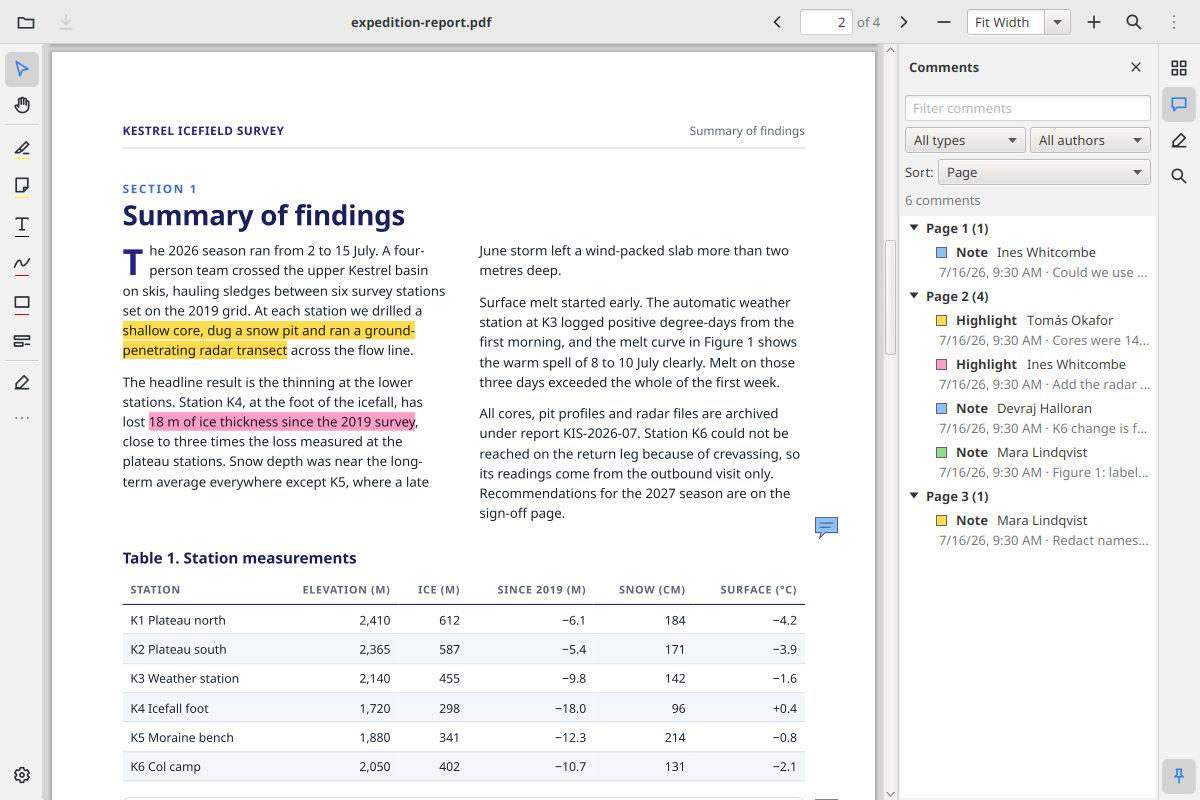
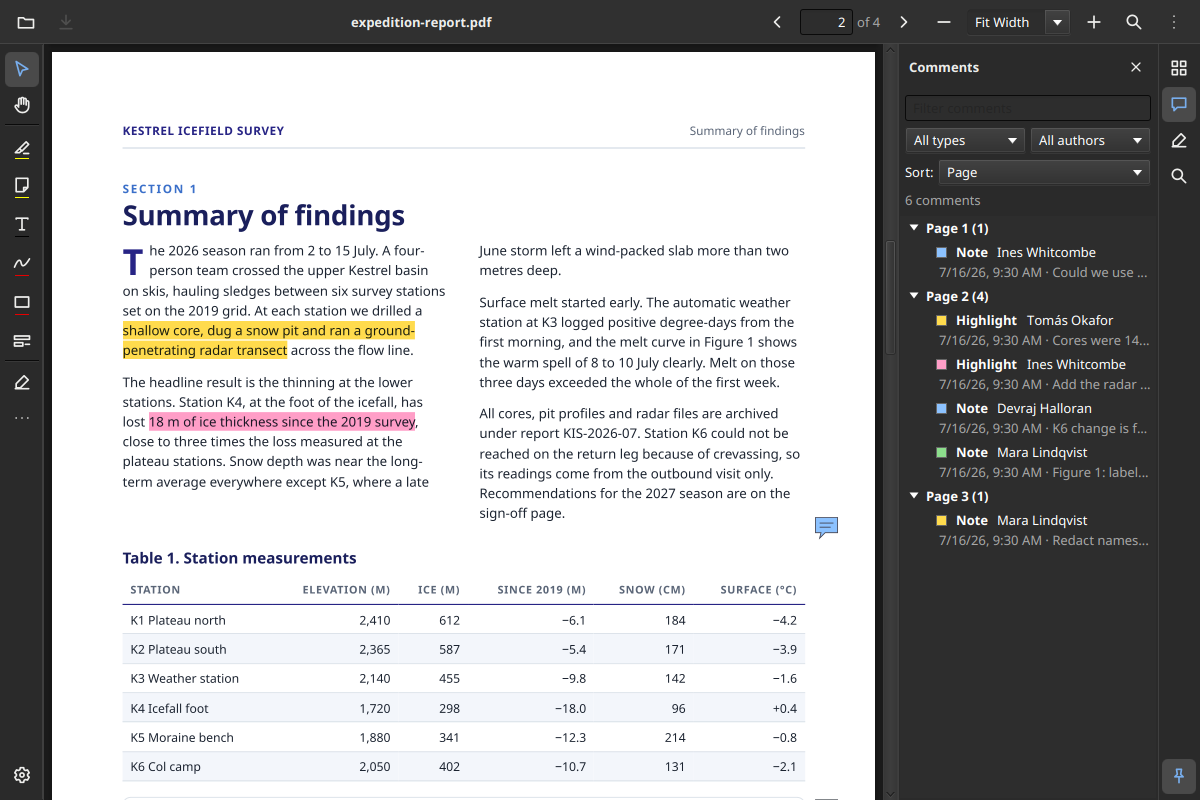
PdfView is a control you drop into your own scene. PdfViewer is the full reference viewer built from it, with tabs, annotations, forms, signing, redaction, printing, high-contrast themes and 13 languages.
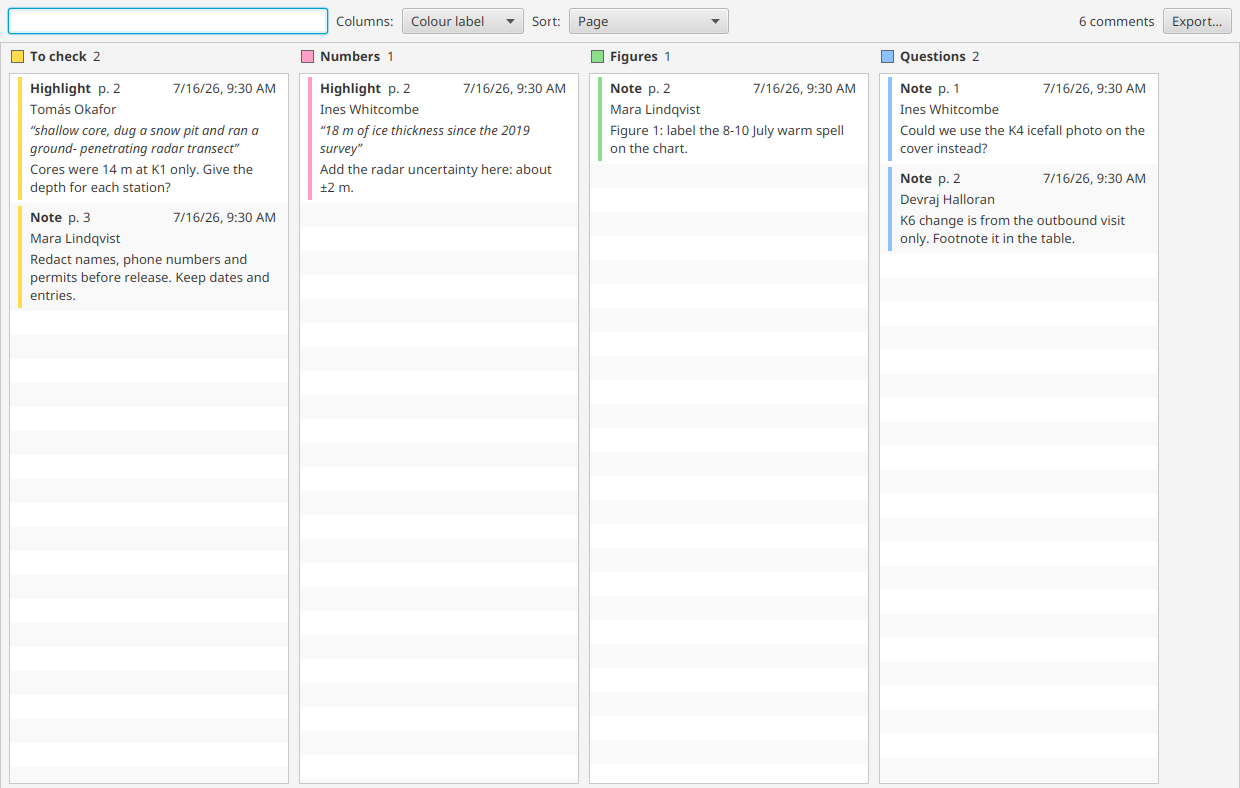
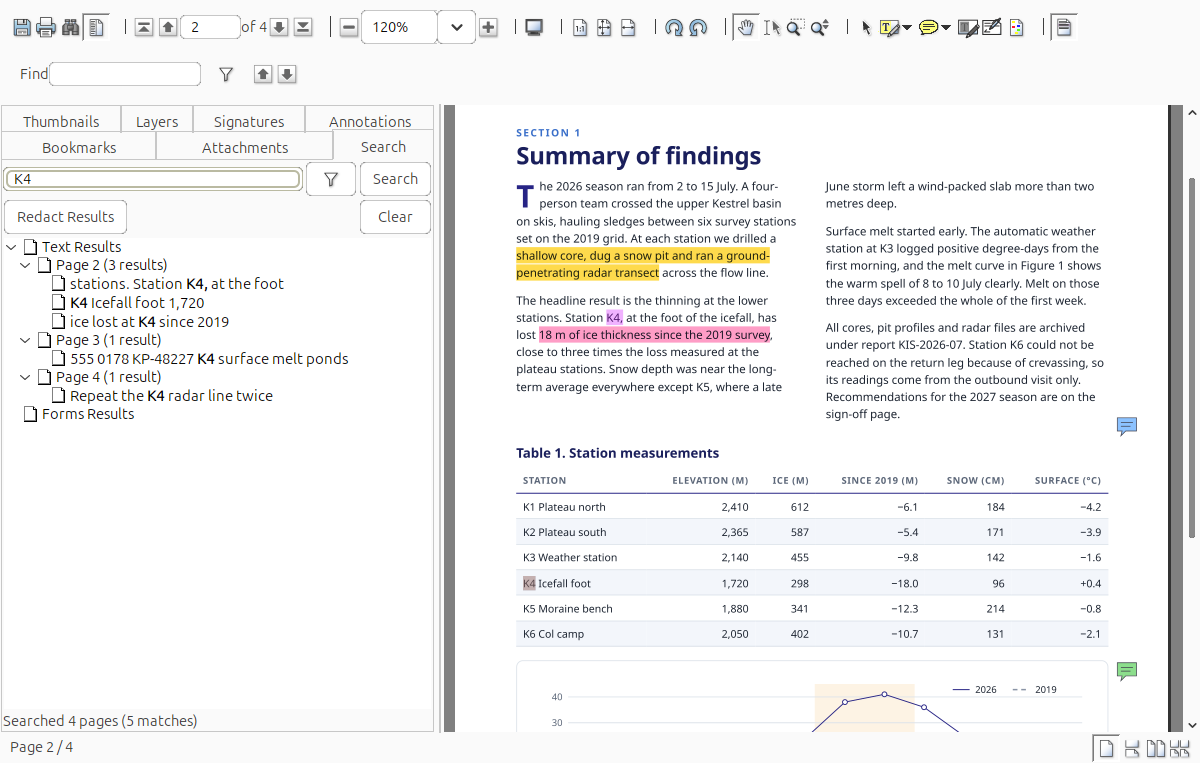
The long-standing Swing viewer, built from SwingController and SwingViewBuilder. Use the whole window or just the viewer panel, with the same core features: search, redaction, signatures and forms.
Short clips of the JavaFX reference viewer. They use a fictional field report (PDF, 1 MB) that you can open in the viewer yourself.
Core runs on Java 11. The JavaFX viewer needs Java 17.
<dependency>
  <groupId>com.github.pcorless.icepdf</groupId>
  <artifactId>icepdf-core</artifactId>
  <version>8.0.0</version>
</dependency>
<!-- Swing viewer: icepdf-viewer, JavaFX viewer: icepdf-viewer-fx -->
<!-- optional bundled fonts: icepdf-fonts -->dependencies {
implementation 'com.github.pcorless.icepdf:icepdf-core:8.0.0'
// Swing viewer: icepdf-viewer, JavaFX viewer: icepdf-viewer-fx
// optional bundled fonts: icepdf-fonts
}Document document = new Document();
document.setFile("input.pdf");
float scale = 2f, rotation = 0f;
Page page = document.getPageTree().getPage(0);
page.init();
PDimension size = page.getSize(Page.BOUNDARY_CROPBOX, rotation, scale);
BufferedImage image = new BufferedImage((int) size.getWidth(), (int) size.getHeight(),
BufferedImage.TYPE_INT_RGB);
Graphics2D g = image.createGraphics();
page.paint(g, GraphicsRenderingHints.PRINT, Page.BOUNDARY_CROPBOX, rotation, scale);
g.dispose();
ImageIO.write(image, "png", new File("page-1.png"));
document.dispose();public class Viewer extends Application {
@Override
public void start(Stage stage) {
FontSettings.apply(); // cached system font scan
PdfViewer viewer = PdfViewer.create(); // every tool and panel
viewer.setOnLink(getHostServices()::showDocument);
stage.setScene(new Scene(viewer, 1200, 900));
stage.show();
viewer.open(Path.of("input.pdf"));
}
}SwingUtilities.invokeLater(() -> {
SwingController controller = new SwingController();
SwingViewBuilder factory = new SwingViewBuilder(controller);
JFrame frame = new JFrame("icepdf");
frame.getContentPane().add(factory.buildViewerPanel());
frame.pack();
frame.setVisible(true);
controller.openDocument("input.pdf");
});More in the examples (capture, extraction, annotation, redaction, signatures, search, printing) and on the wiki.
Ask and share in GitHub Discussions. Check the wiki first; it covers configuration and the system properties.
Open an issue. A sample PDF that shows the problem gets it fixed fastest. Pull requests are welcome; see CONTRIBUTING.
icepdf is maintained in the open. If your product depends on it, sponsoring pays for the triage, fixes and releases that keep it working.
Sponsor on GitHub